
The state vocabulary
Every state has one shape, one word and one colour, used the same way on every surface.
The word is always there, so nothing depends on colour, and each shape reads in greyscale and to colour-blind eyes.
This page draws all fifteen words as the studio app does, in the dark theme (the app’s default) and the light one, and says what each means and what to do.
The rules that choose a word follow the fifteen, and are in packages/ui/states.ts.
The fifteen words
Section titled “The fifteen words”The sentence under each picture is what the studio app shows when you hover over the word with the pointer or reach it with the keyboard (Tab); Esc hides it.
The part before the semicolon says what the state means, and the part after it says what to do.
Each state is drawn four times, left to right: the chip in the dark theme and in the light, then the lamp form in the dark theme and in the light.
The chip is the small form used on tiles, in queues and in panel heads; the lamp form is the large one used for the master lamp (desk.lamp), and any state can take it.
ON AIR
Section titled “ON AIR”



Listeners can hear this now; speak as if the whole audience is in the room, because it is.


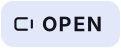

The room hears this source but listeners do not, because playout or automation holds the air; talk freely, and check the master lamp before you expect to be heard.


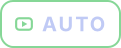

Automation is playing the log and the desk never reaches listeners; pressing On opens you to the room only, and you leave auto mode before you go on air.




This source is in your headphones only; listeners hear nothing from it, so use it to check a caller or a cart before you open the fader.




Your voice is going to this one person for as long as you hold the key; listeners never hear talkback.




The source is cut from every mix; unmute it before you open its fader, or the On key changes nothing anyone hears.
STANDBY
Section titled “STANDBY”



Nothing is open and playout holds the air; the next On key puts you on air at once.
ALL GOOD
Section titled “ALL GOOD”

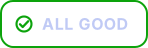
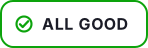
Nothing needs you; every link, mix and output is as it should be.


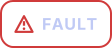

Something the desk depends on has failed and listeners hear the fallback; open the panel the chip sits on, which names what to restart.
PLAYOUT DOWN
Section titled “PLAYOUT DOWN”



Playout has stopped while the room is alive; listeners hear the fallback playlist, and your open sources say OPEN; restart playout on the server to bring it back.
In 1.0.0 the Restart button and ⌃R only show a note: restart playout on the server (When the lamp says PLAYOUT DOWN).
LINK DEGRADED
Section titled “LINK DEGRADED”



This person’s connection is losing packets or adding delay and they may sound rough; watch it, and ask them to change network if it does not clear.
DELAY 3.2 S
Section titled “DELAY 3.2 S”
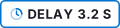
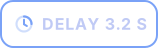
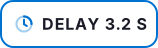
The profanity delay is rebuilding after a dump and the figure is how far behind you listeners are now; Dump protects you only once it is full again.
DUMPED
Section titled “DUMPED”



The last seconds were cut from the stream and listeners heard the dump; the delay is rebuilding, so carry on and do not repeat the words.
DESK BUSY
Section titled “DESK BUSY”



The presenter declined the last send; the caller stays ready in the queue, so hold them and offer again at the next gap.
BANNED BEFORE
Section titled “BANNED BEFORE”



This caller’s account was banned before, with the date and reason shown; nothing is on air yet, so screen them with that in mind or decline them.
Each picture is drawn for one theme, with its word as text in that theme’s ink, so it sits on that theme’s own surface here whichever theme you read this page in.
What the picture means
Section titled “What the picture means”| Family | States | How they differ |
|---|---|---|
| Filled | ON AIR (red), OPEN (white), CUE (violet), TALK (teal) | the only filled chips. Red fill means on air and nothing else. |
| The lamp outline | ON AIR, OPEN, STANDBY, AUTO | one outline, told apart by fill and mark: filled, open on its right, empty, and with a play mark inside |
| Circles | CUE, MUTED, ALL GOOD, DELAY, DUMPED | five circles with five different marks |
| Status | FAULT, PLAYOUT DOWN, LINK DEGRADED, DESK BUSY, BANNED BEFORE | hollow, in the status colours, never a filled lamp |
AUTO is a hollow lamp in its own mint colour with a filled play mark: a machine is playing. It shares STANDBY’s outline and differs by the mark and the colour, and it is the state STANDBY must never be mistaken for: in standby the next On key puts you on air, in auto it does not.
The master lamp (desk.lamp)
Section titled “The master lamp (desk.lamp)”| The lamp says | When |
|---|---|
| FAULT | the desk does not answer the control plane |
| AUTO | the station is in auto mode: automation holds the air and the desk never airs |
| PLAYOUT DOWN | the desk answers, the station is live, and playout is not connected: listeners hear nothing of the room, whoever is open |
| ON AIR (red fill) | the station is live, playout is connected and at least one source is on air and not muted: listeners hear the room |
| STANDBY | the station is live, playout is connected, and nobody is on air |
The app decides in this order, and the first that applies wins: a desk that does not answer is FAULT, whatever else is known; then AUTO, before playout and on-air are read; then PLAYOUT DOWN; then ON AIR or STANDBY. The station’s mode is read from the setting every two seconds; until it is read the lamp treats the station as live. The lamp never says OPEN: OPEN is a source’s word.
AUTO is hollow, with a mint border and play mark and the word at the lamp’s full size, because only the desk on air fills the lamp. In auto mode the stage line says Automation holds the air, the audience panel says ON AUTOMATION, and the playout panel’s own chip reads ON AIR, because the log is what listeners hear.
A source’s tile
Section titled “A source’s tile”| The tile says | When |
|---|---|
| ON AIR | on air, not muted, listeners can hear the room (the station is live and playout is connected) |
| OPEN (the white lamp, open on its right side) | on air and not muted, but listeners cannot hear the room: playout is down, or the station is in auto mode (ADR-0062, ADR-0079, ADR-0183) |
| MUTED | on air but muted |
| CUE | cued: in presenters’ and DJs’ headphones only |
| READY | a caller sent by the screener, not yet taken |
| STANDBY | none of these |
ON AIR means only one thing: listeners can hear this. When playout comes back, or the station leaves auto mode, OPEN turns to ON AIR without anyone pressing a key. The tile’s edge and its On button follow the word: red for ON AIR, white for OPEN.
Beside the word, a tile shows TALK while the presenter holds that person’s talk key, and its link line shows LINK DEGRADED while the person is out of the room or no audio of theirs reaches the desk.
A caller in the queue
Section titled “A caller in the queue”The first chip is the caller’s state:
| Chip | When |
|---|---|
| DROPPED | their link was lost; their place is held for 5 minutes (ADR-0101) |
| ON AIR or OPEN | on air, as for a tile |
| CUE | cued by the presenter |
| SCREENING | the screener has started talking to them |
| READY | sent to the desk |
| WAITING | in the queue |
Then, when they apply:
| Chip | When |
|---|---|
| DESK BUSY | the presenter declined them; they stay ready until sent again (ADR-0069, ADR-0098) |
| LINK DEGRADED | in the room, but no audio reaches the desk |
| BANNED BEFORE | their identity was banned before, with the date and reason (ADR-0069) |
The delay
Section titled “The delay”The delay panel (desk.delay) shows DELAY with its length once the profanity delay is full, DELAY BUILDING while it fills, and DUMPED after a dump while it rebuilds.
The sentence for DELAY describes the rebuilding, so only the building chip carries it.
Words with no sentence
Section titled “Words with no sentence”READY, WAITING, SCREENING, DROPPED and DEFAULT LOOP are state words with no sentence under them yet, and so are the surface words (ON AUTOMATION, FILE MISSING, DELAY OFF and the rest): they are shown without a tooltip.
See What ON AIR promises for why the words are drawn this way.
Text and images CC BY-SA 4.0; code samples AGPL-3.0-only, as the code is. Licences.