 WeaveSignal
A mix of their own for everyone
The desk sends each person the show without their own voice, so nobody hears themselves back late and no station needs a hybrid or a second mixer. A guest's return arrives 69–77 ms after the voice on one machine.
41 features in 1.0.0, grouped by what a station cares about, each with the reason it is there and the page that explains it. The clips are moments from the demo video, played only when pressed. What comes next is at the end, apart, and nothing there is in 1.0.0.
What a station gets from WeaveSignal that a playout suite with a guest link and a chat widget beside it does not.
A presenter and remote guests talk in one room, from a browser, and hear each other as if they were in the studio.
The desk sends each person the show without their own voice, so nobody hears themselves back late and no station needs a hybrid or a second mixer. A guest's return arrives 69–77 ms after the voice on one machine.
A guest opens the invite in a browser on a computer or a phone: no account, no app. A network that blocks WebRTC reaches the room through the station's own relay, over TLS.
Hear a source in your headphones before it goes to air, talk to one person without listeners hearing, and count a guest in; each on a key, and a cued or muted source never moves on the screen.
Each presenter's and DJ's voice goes through a gate, a compressor, a leveller and a limiter set in the station's settings, and every mix has a limiter of its own, so a loud guest cannot clip the programme.
The browser cancels echo and the desk gates the quiet, so a presenter's microphone does not put a guest back into the programme a third of a second late. The documentation says why headphones matter, in words for a guest.
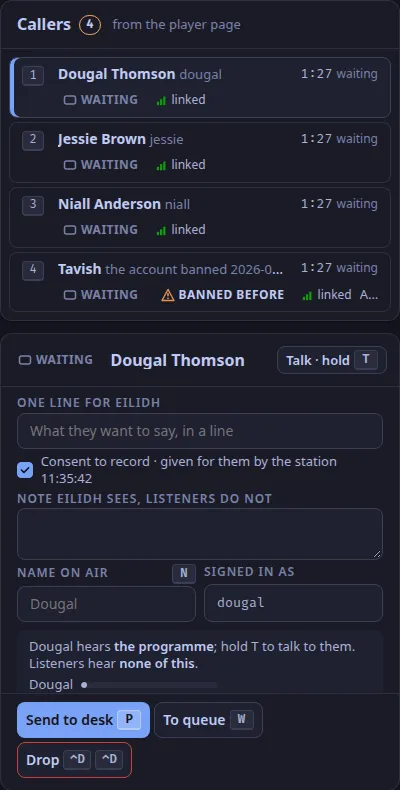
Listeners call from the station's own page, wait in private, and reach the presenter through a screener.
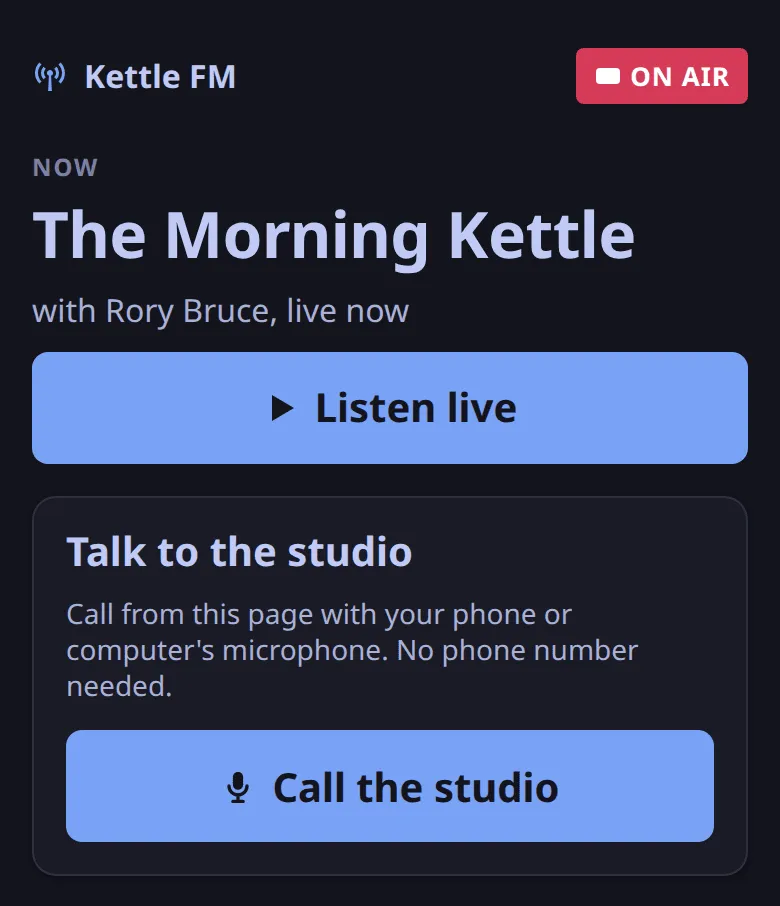
A listener presses Call the studio on the player page and talks through the browser on their phone or computer: no telephone number, no app, no account. A real caller rang a public station this way from a phone.
A caller waits in a room of their own, hearing the show, seen and heard by nobody until the screener picks them up. Callers never hear each other, and a guest never hears a caller who was not sent to the desk.
The screener talks to each caller off air, writes the one line the presenter sees, and sends them to the desk. A caller banned before is marked in the queue before anyone hears them.
The presenter sees the caller's name on air and the screener's line, cues them, takes them to air with one key and drops them with two presses. When the desk cannot take a caller now, the screener sees DESK BUSY.
Every caller agrees to be recorded before the station issues them a token, in two sentences with a takedown contact. The page's challenge makes a flood of calls expensive for a program without a puzzle for a person.
A caller's voice is given a telephone sound by default, so listeners tell the caller from the presenter at once; it is one setting to turn off.
A delay to dump into, a lamp that tells the truth, and restarts that disconnect nobody.
The programme is held before it leaves the studio, 8 s by default. Del Del throws the last seconds away: listeners never hear the swear, and the room goes on talking, because the delay sits after the desk and never in the room.
ON AIR lights only when listeners can hear you. OPEN, AUTO, STANDBY and PLAYOUT DOWN each mean one thing, and every state word on the desk has a sentence that says what it promises.
The listener process holds the stream and keeps a cushion for every player. Playout and the desk can stop or restart underneath it: players hear the fallback for a few seconds, then the programme again, and are never disconnected.
When nothing is on air the listener process plays the station's fallback files, and a shipped default loop when there are none, so a new station proves itself before a single file is uploaded.
A tile says LINK DEGRADED when a person's connection stalls, the screener's queue says DESK BUSY, the toast says what to press, and the fifteen state words never mean two things.
A guest whose voice fails is resubscribed and a failed mix is rebuilt while the programme carries on; only the programme itself and its link to playout can stop the desk.
Automation fills the air between shows, from a week planned on a grid.
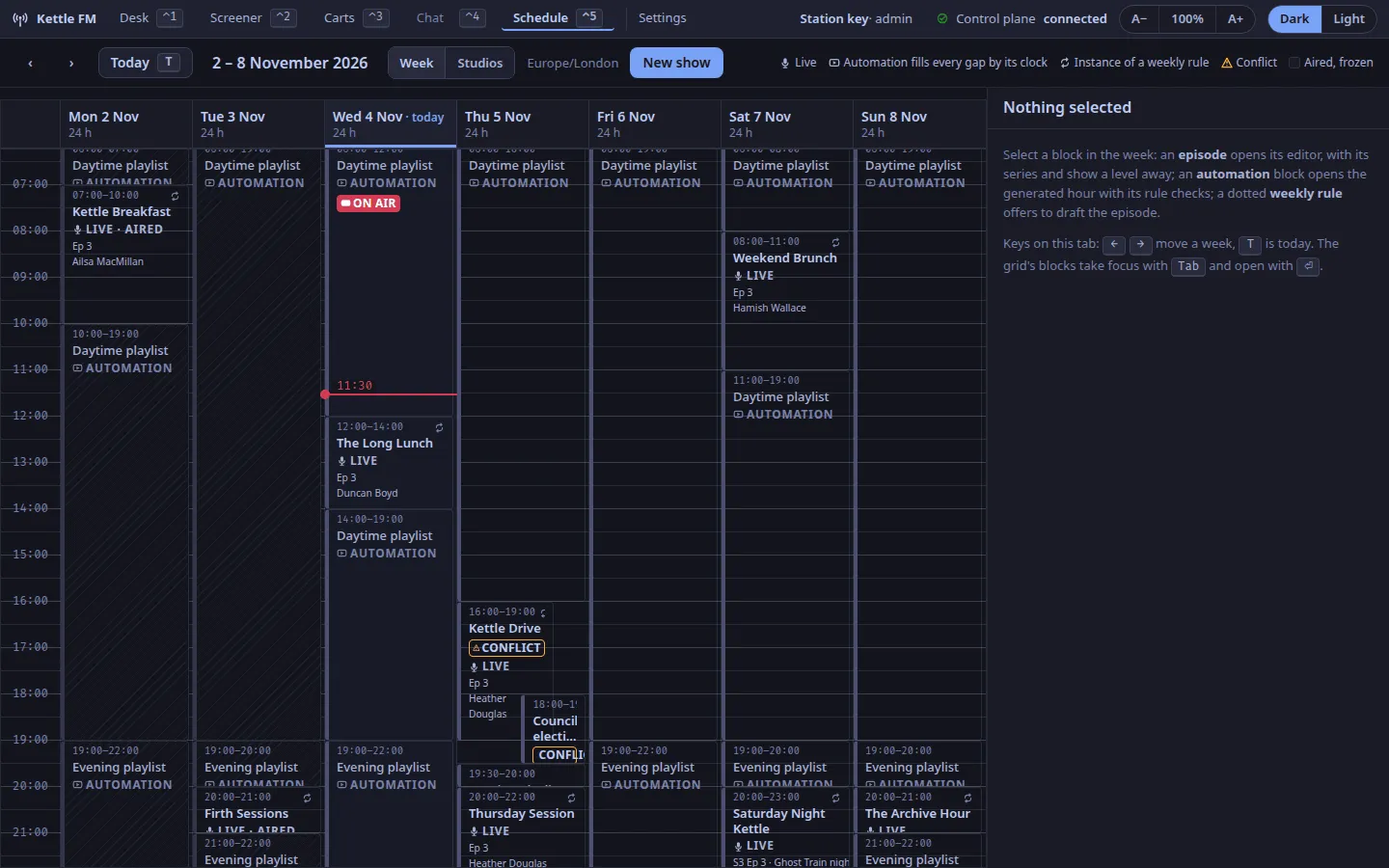
Each hour is built from a clock: music blocks with rotation and separation rules, and the US statutory rule for stations that need it. When the desk goes on air playout steps aside; when the show ends, playout holds the air.
Live shows, automation blocks, series and seasons on one week, with the episode, series, show and log editors beside it; a conflict is marked where it is, and a draft can be made from a rule.
Files are imported with their tags, every play is logged with its time, and listener hours and sessions are kept, for the reports a licence asks for. A legal logger records the programme for as long as retention says.
Playout's chain holds the stream near −16 LUFS with a peak limiter after it, so a live show and the music block after it sit at the same level in a listener's ears.
The show and the track on air, for the station's own website and the slate, from one route; up next is kept off for US statutory webcasters.
A stream any player opens, video when a station wants it, and a page with the chat on it.
An Icecast-compatible stream in Opus, which every current player opens, and an MP3 stream for older players and the directories that need one, off until a station turns it on.
Cameras, a vision mixer and a slate with now playing and a still per show, captions, and AV1 in HLS behind the delay, with an audio-only toggle for the viewer. Run against stand-ins so far, not a studio.
The station's own page: the ON AIR lamp, the show on now, Listen live and Call the studio, served by the station with its caching and security headers set; a station's own website can use the open routes instead.
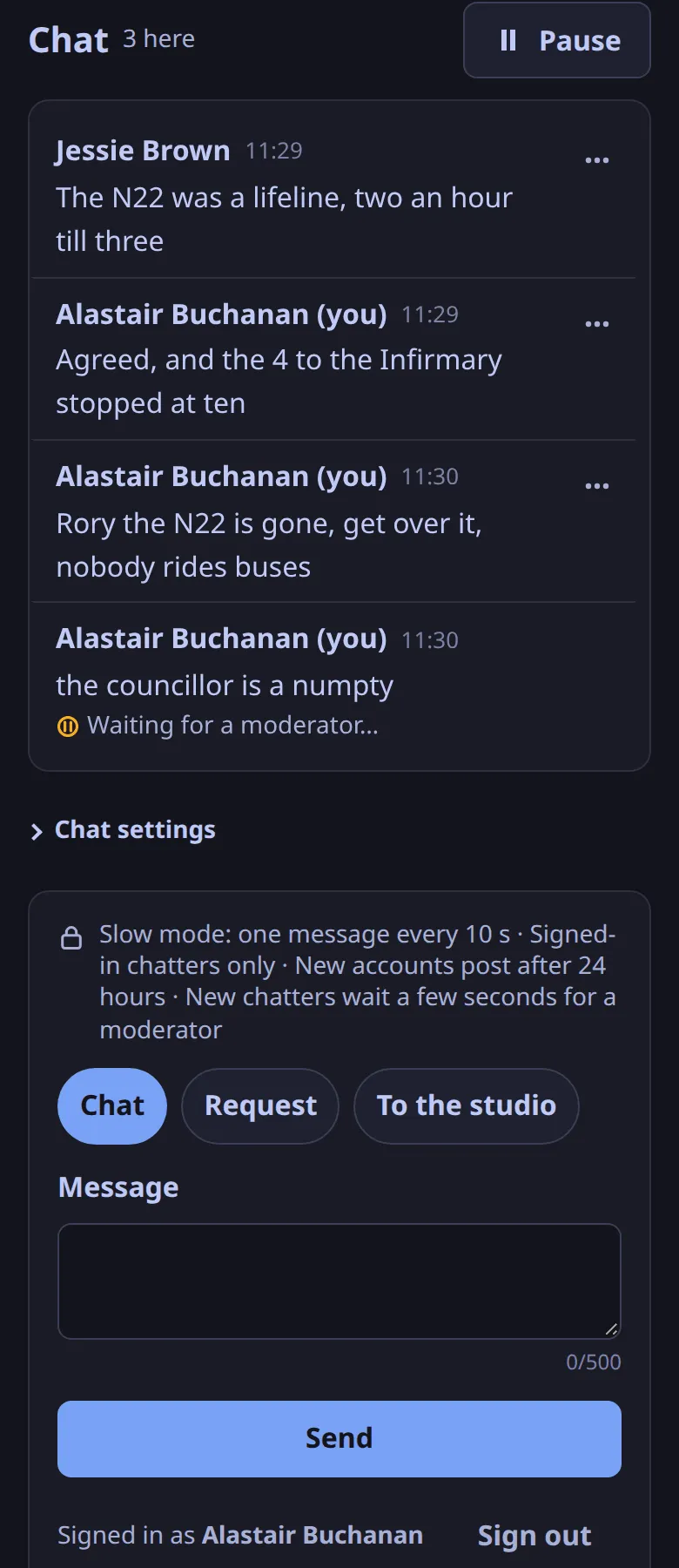
Listeners chat on the player page. The screener's lanes show what needs them, every removal carries a statement of reasons, the minimum age follows the station's jurisdiction, and the chat keeps records only as long as retention says.
The people talking hear each other at once; listeners are seconds behind, which lets a player start at once, ride out a poor network and gives the presenter a delay to dump into.
Each show has a card, a feed and episodes that make themselves.
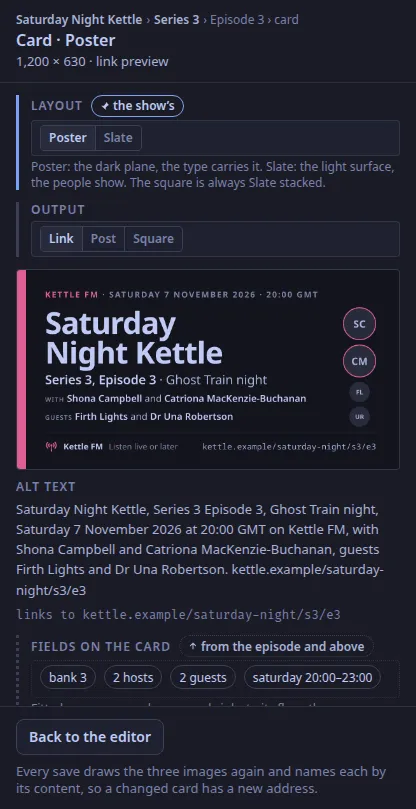
A Poster, a Slate and a square for every show, series and episode, drawn from the show's data and its still, so a link preview, a post and the podcast art match without a designer. Text is fitted, never cropped.
A series with a rule makes its episodes as the weeks come, live or pre-recorded; a correction to an episode that has aired is logged, not silent.
RSS with an Opus alternate for each show, from the episodes the schedule already knows; episode files are attached through the API.
One installation on a server of your own, with the ways out to a bigger audience and other software.
The room, the desk, playout, the stream, the chat and the pages in one bundle with one login: a script on a Linux server, a Cloudron package, or Quadlets under systemd. No stack of tools, each with its own idea of who hears whom.
Each port the station opens is a setting with a free-port check, so it fits beside what the server already runs.
Content steering sends players to health-checked edges; an HLS edge and an audio relay image are shipped, and Bunny can front the station. Measured on local edges so far.
Scoped tokens for other software, open read routes for the station's own website, signed webhook deliveries when something happens, and an OpenAPI description generated from the code.
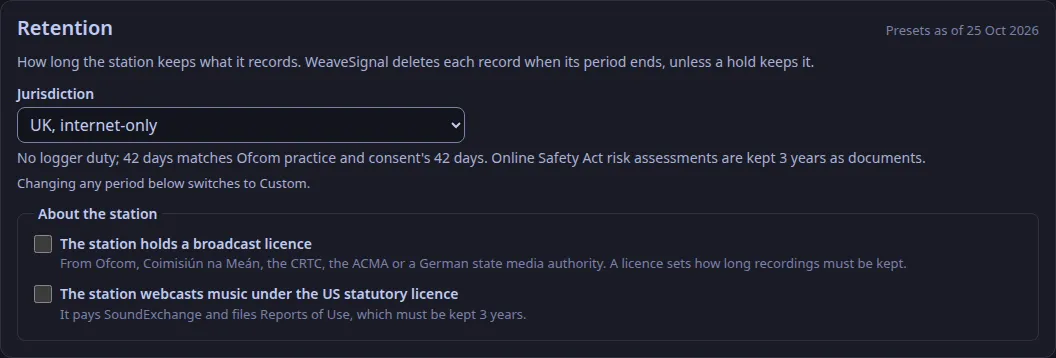
Choose the station's jurisdiction and recordings, logs, chat and callers' consent are kept as long as its rules ask and no longer; a hold keeps what a complaint concerns, and a sweeper removes the rest.
Each person signs in with a password or an emailed code, a role says what they may do, and someone who leaves is removed in one place.
The code is AGPL-3.0-only and the documentation CC BY-SA 4.0. There is no hosted service and no account with anyone: the station is yours.
A desktop program for whoever runs the show, with every action on a key.
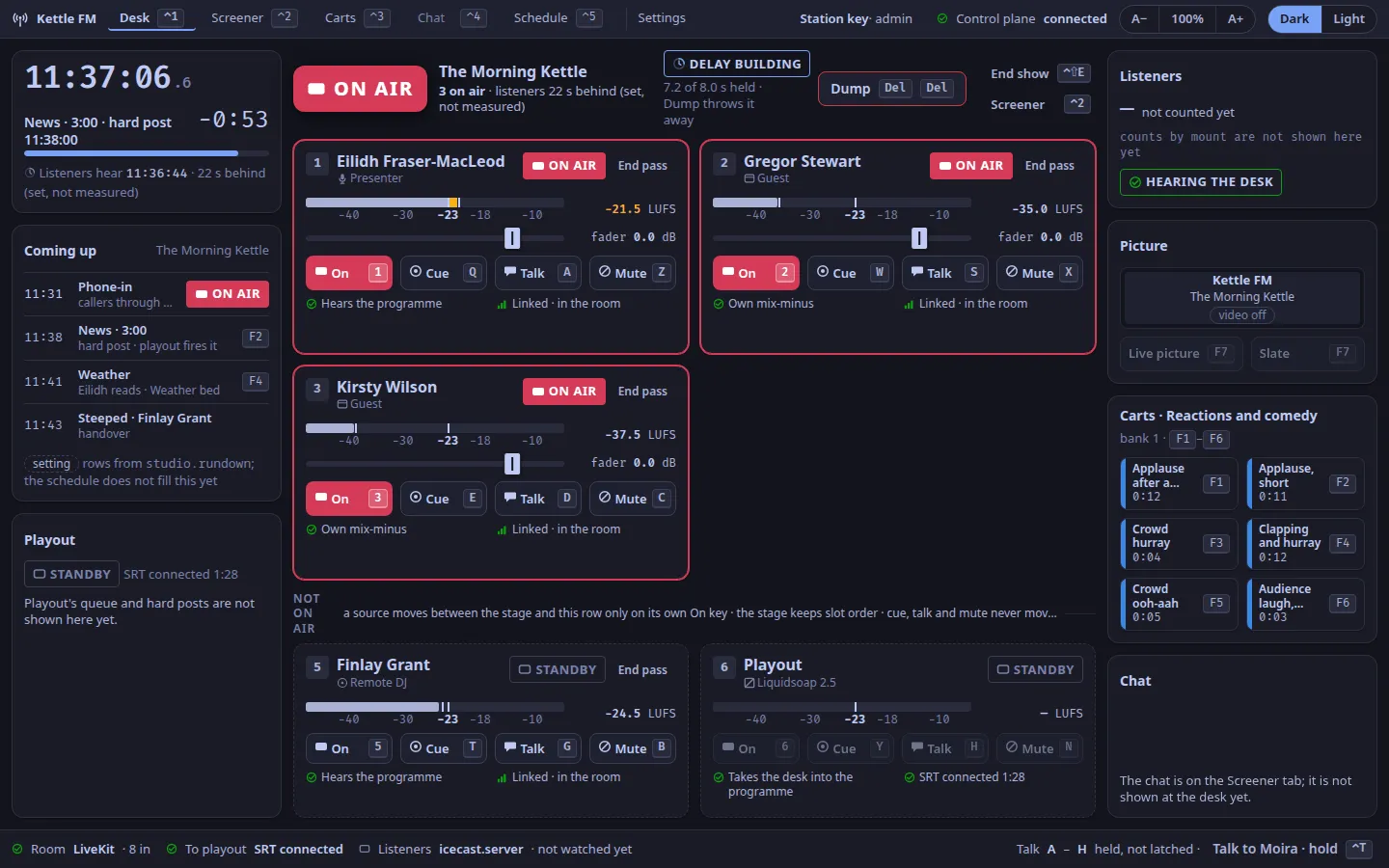
Six sources, the lamp, the delay, the audience and the picture on one screen; the screener's queue and the chat's lanes on the next tab; the cart wall and the week on the others. Light and dark, with a text size that is remembered.
One keymap across the tabs: the digits for the sources, Del Del to dump, F1 to F6 for the carts, F7 for the picture. A key whose feature is not in 1.0.0 says so in a note and does nothing to the room.
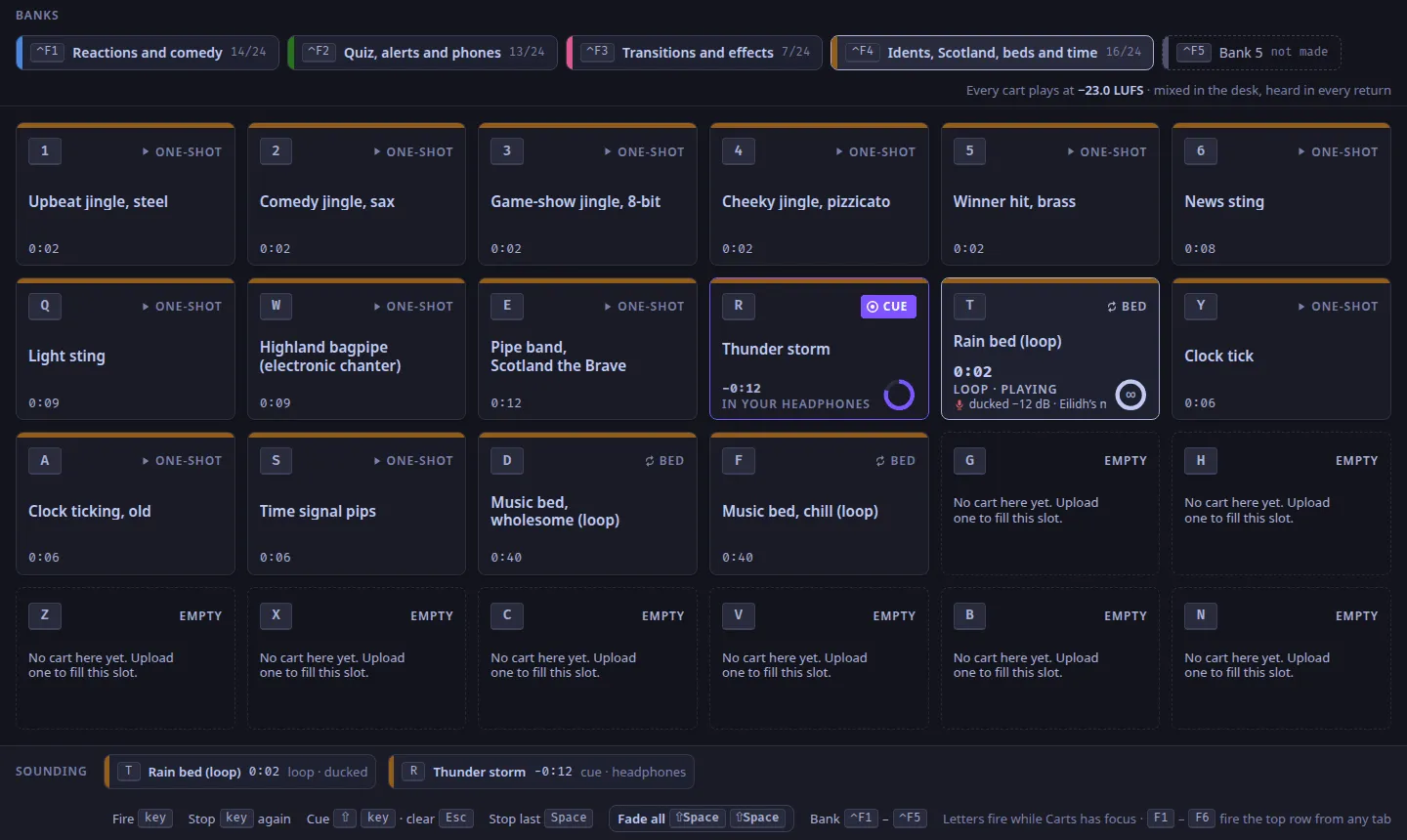
Banks of jingles, beds and stings under the left hand, fired from any tab; a bed on air is ducked under an open microphone. A demo pack of 50 openly licensed sounds is in the repository.
An AppImage, a .deb and an .rpm for Linux, and an unsigned installer for Windows; updates are signed, with a rollback for the AppImage that is built but not yet run on a real install. The server runs on Linux.
These are planned and not built. Each says what a station does today instead. The full list of what 1.0.0 leaves out is in the documentation, and a key in the studio app whose feature is planned says so in a note and does nothing to the room.