
Get ready to present
This is for a presenter before a show. It takes five minutes, and most of it is the headphones.
Join the room
Section titled “Join the room”-
Open the invite link the station sent you, in a browser (The public pages). With another LiveKit client, join instead with a room token from the station, which carries your role,
presenter(Give someone a room token); a token can be used to join for 10 minutes by default, so ask for it shortly before the show. -
Press Join the studio, and allow the microphone when the browser asks. If the page says Your microphone is blocked, allow it for the page (the lock or the site settings by the address) and press Try again. On a phone the browser itself may need the permission too: in Firefox for Android, allow its microphone in Android’s settings (Apps, Firefox, Permissions, Microphone).
-
Open the studio app on the Desk tab (
⌃1) to see the desk and use its keys.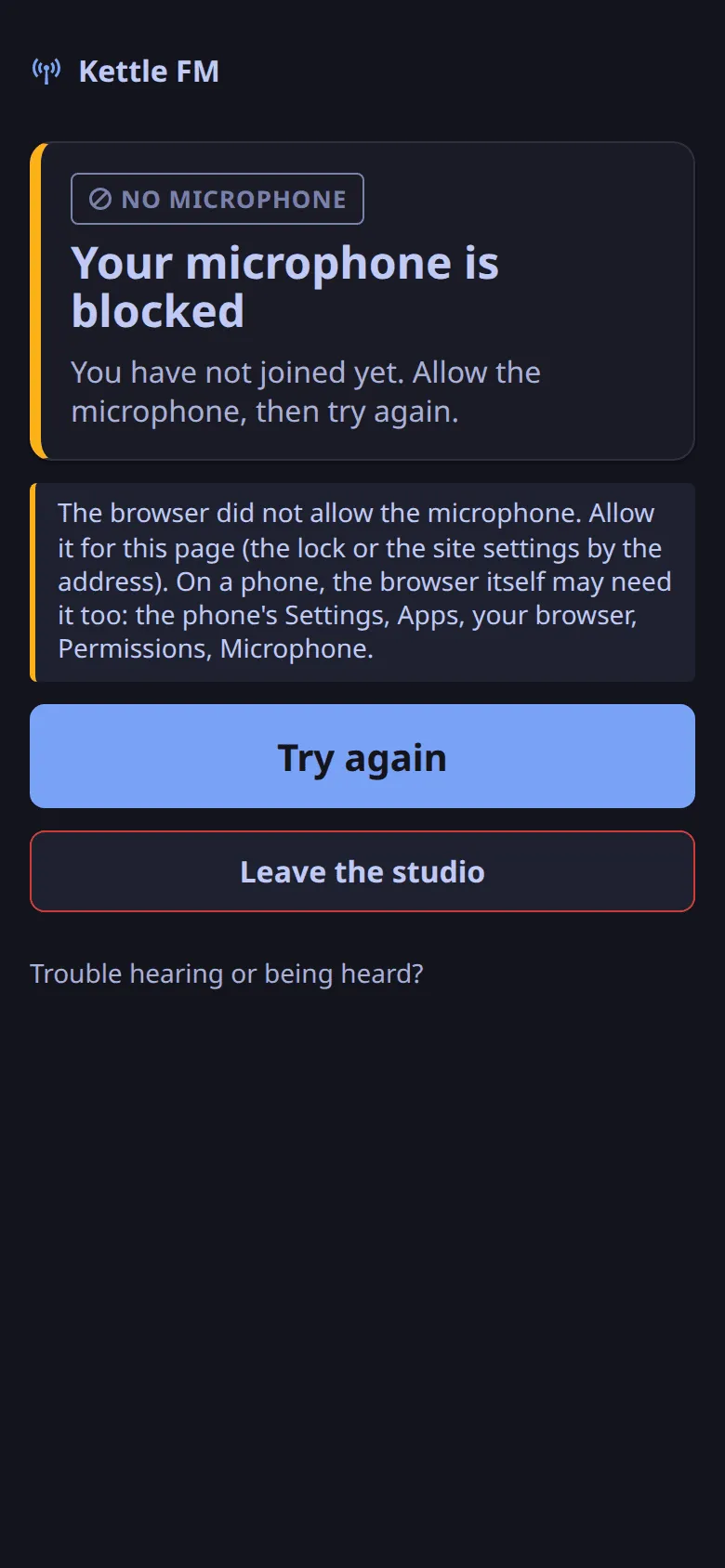
The studio app does not carry your voice: it shows the desk and sends your keys, and your voice reaches the room from the browser. The studio app joining the room itself, so you present from one window (ADR-0013), is planned.
As a presenter you are on air from the moment you join, in slot 1 of the desk.
Wear headphones
Section titled “Wear headphones”- Use headphones, never speakers. Closed-back headphones leak least.
- Set them to a comfortable level, not a loud one. Sound that leaks from them into your microphone goes back on air a quarter of a second late (why).
- Keep the microphone close to your mouth and away from the headphones’ ear cups.
Set the microphone
Section titled “Set the microphone”Any page that sends your voice into the room should capture it with:
| Browser setting | Value |
|---|---|
| Echo cancelling | on |
| Noise suppression | on |
| Automatic gain control | off |
These are the station’s defaults for its own join pages. Leave gain control off even if your voice sounds quiet to you: the desk levels your voice toward the guests’ level by itself, slowly, and lifted a raw microphone by 14 to 16 dB in the rehearsals.
Check before the show
Section titled “Check before the show”- Ask a guest or the producer to speak while you are silent: you should hear them, and the producer’s ear (or a listener) should hear them once, never twice.
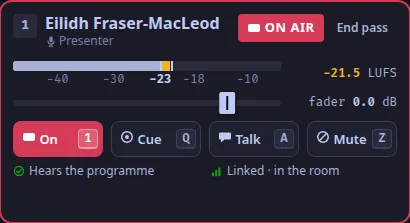
- Look at your tile on the desk (
desk.tile.1): its meter moves when you speak, and its word is ON AIR, or OPEN if playout is down or the station is in auto mode.
Next: Present from the keyboard.
Text and images CC BY-SA 4.0; code samples AGPL-3.0-only, as the code is. Licences.