
Roles
A person’s role is signed into their room token by the control plane, as the LiveKit attribute weavesignal.role (ADR-0084).
Tokens grant no right to change one’s own attributes, so the desk trusts the role it reads.
The desk ignores anyone in the room without a role.
Roles are written in lowercase everywhere: in tokens, in the API and on the command line.
| Role | Who | On air when they join | Can reach the programme | Hears talkback | At the desk | Token can publish |
|---|---|---|---|---|---|---|
presenter |
presents the show from the studio | yes | yes | yes | yes | yes |
dj |
a remote DJ | no; put on air at the desk | yes | yes | yes | yes |
guest |
a guest in the room | yes | yes | no | yes | yes |
caller |
a listener calling in | no; sent by the screener, taken by the presenter | yes | no | yes | yes |
screener |
screens callers | never | no | no | yes | yes |
producer |
produces the show; counts the presenter in | never | no | no | yes | yes |
listener |
a monitor, a recorder, a test’s ear | never | no | no | no | no |
“At the desk” means the desk mixes the person’s voice and makes them a mix-minus.
A listener is left out: it has no voice and no mix-minus, and it subscribes to the one track it needs, such as desk-mm-eilidh for what Eilidh hears.
For what each role hears, see Who hears whom.
Seats in the studio app
Section titled “Seats in the studio app”The studio app has two seats, the presenter’s and the screener’s.
Each is the first person at the desk with that role; for the presenter, the one in the lowest slot.
The presenter’s seat is who the desk’s talk keys speak as; the screener’s seat is who T and ⌃T speak as on the screener tab.
There is no producer seat in the app.
Identities
Section titled “Identities”An identity is 1 to 64 characters of a–z, A–Z, 0–9, - or _.
It may not be desk or begin with desk-: the desk joins the room under that prefix, as desk-in-… for each voice it subscribes to and desk-mm-… for each mix-minus it publishes.
The prefix is the setting room.desk_identity.
Each caller is in a LiveKit room of their own, a booth: the studio room’s name, -booth-, and their identity, such as studio-booth-c7f3 (ADR-0193).
The desk is the only other participant in a booth: its hidden connection that listens to the caller, and the mix-minus it publishes for them.
A caller never sees anyone else, and nobody in the studio room sees a caller.
Everyone else (presenters, DJs, guests, the producer, the screener and monitors) is in the studio room.
Nobody moves between rooms: sending, screening, putting on air and dropping a caller change only the desk’s routing.
Room roles and staff roles
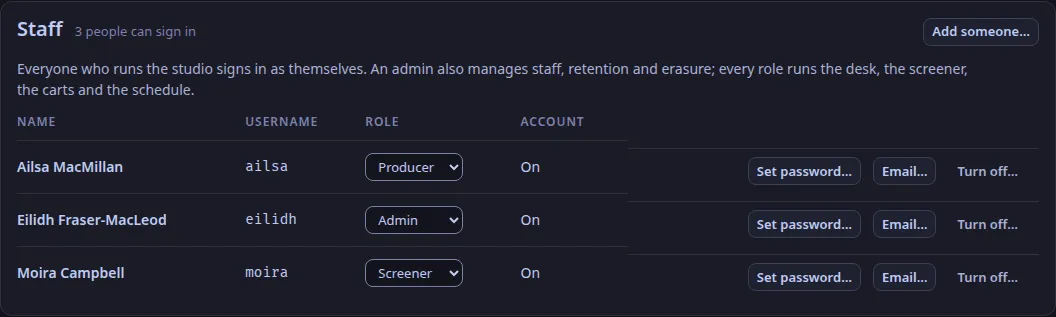
Section titled “Room roles and staff roles”Staff sign in to the studio app as themselves, with a staff role of their own: admin, producer, presenter or screener (Add staff and sign in).
That staff role is not tied to the room role a token carries: any member of staff may issue a room token with any role but listener, which needs an admin, because a monitor hears every return (ADR-0118).
Not in WeaveSignal 1.0: roles scoped to one show or a time window (asked beside ADR-0074 and not decided).
Text and images CC BY-SA 4.0; code samples AGPL-3.0-only, as the code is. Licences.